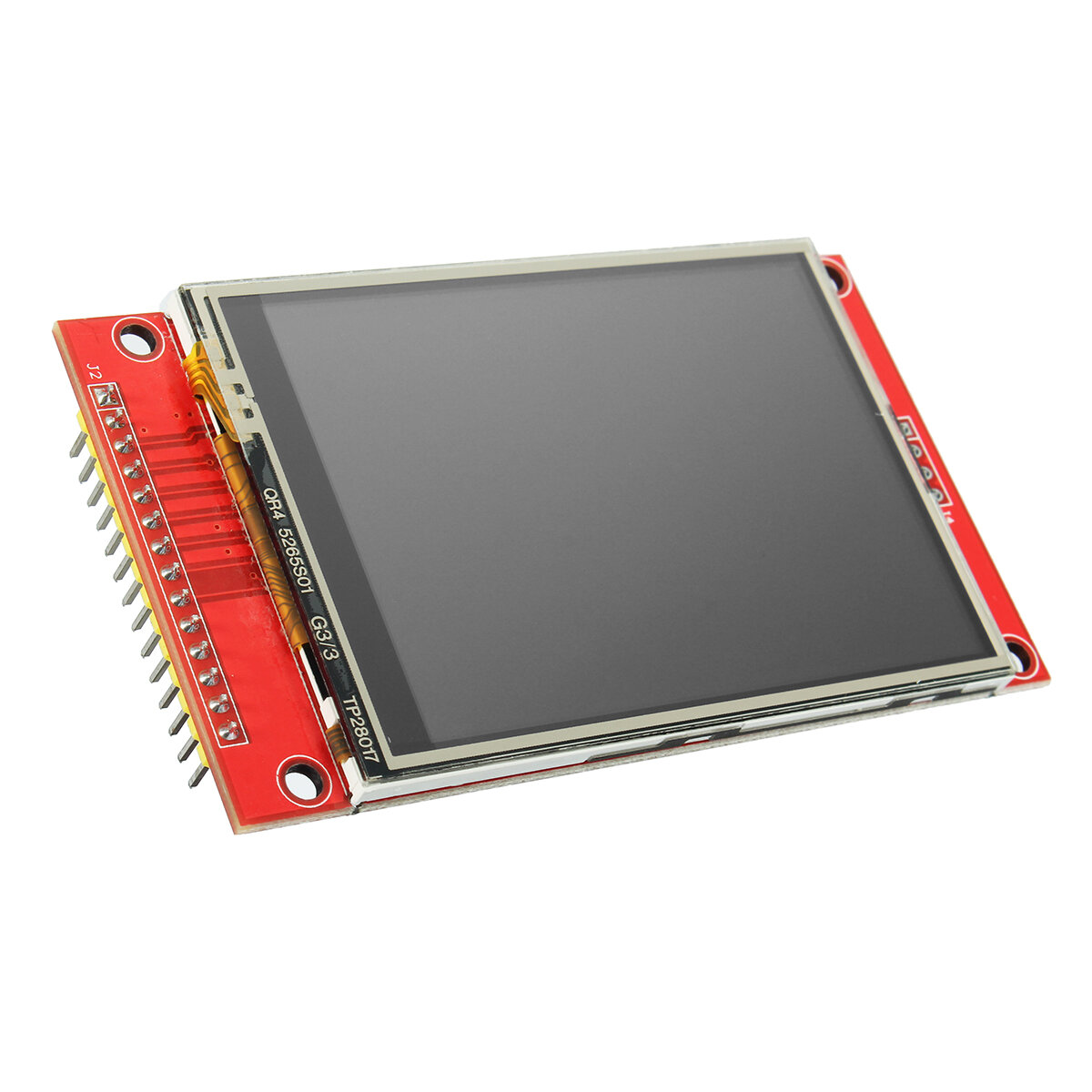
* Estimated delivery times start from the date of shipment, excluding processing time.
* Actual delivery times may vary due to holidays, weather conditions, or customs delays.
Kostenloser Standardversand bei Bestellungen über $9.9
Rückgaberecht
Rückgaben werden innerhalb von 40 Tagen nach Erhalt der Ware akzeptiert. Personalisierte Artikel können nicht zurückgegeben oder umgetauscht werden. Artikel, die mit einer E-Geschenkkarte gekauft wurden, können nur umgetauscht werden; Rückerstattungen sind nicht möglich.
Kostenloses Geschenk
Willkommen bei Roymall, deiner professionellen Website für den Kauf von Premium-Warenhausgeschenken. Wir schätzen und schätzen deine Unterstützung sehr und möchten unsere Dankbarkeit zeigen, indem wir deinen Einkäufen eine zusätzliche Portion Aufregung verleihen. Wenn du bei uns einkaufst, genießt du nicht nur hochwertige Produkte, die deinen Lebensstil verbessern, sondern erhältst auch ein exklusives kostenloses Geschenk zu jeder Bestellung. Bereit, unsere Kollektion zu erkunden und deine perfekten Geschenke zu finden? Durchstöbere unsere Auswahl an Premium-Warenhausartikeln, gib deine Bestellung auf und freue dich auf das kostenlose Geschenk, das zusammen mit deinem Einkauf ankommt.
Versandrichtlinie
Wir werden uns bemühen, die Artikel nach Erhalt deiner Bestellung sicher zu dir zu liefern. Die Lieferdetails werden in deiner Bestätigungs-E-Mail angegeben.In den meisten Fällen werden Bestellungen innerhalb von 2 Tagen bearbeitet. Unter besonderen Umständen kann es zu Verzögerungen kommen: Wenn du deine Bestellung am Samstag, Sonntag oder an Feiertagen aufgibst, wird sie um 2 Tage verzögert.Normalerweise dauert es 5-7 Werktage (Montag bis Freitag), ohne dass Flugverzögerungen oder andere Umweltfaktoren dies beeinflussen.Da unser Versandservice weltweit ist, hängen die Lieferzeiten von deinem Standort ab. In abgelegenen Gebieten oder Ländern kann es einige Tage dauern, also bitte habe Geduld.
1. Rückgabe- und Umtauschrichtlinie
Wir akzeptieren nur Artikel, die auf roymall.com gekauft wurden. Wenn du bei unseren lokalen Händlern oder anderen Einzelhändlern kaufst, kannst du sie nicht bei uns zurückgeben.Artikel im Schlussverkauf oder kostenlose Geschenke können nicht zurückgegeben werden.Um für eine Rückgabe berechtigt zu sein, muss dein Artikel unbenutzt und in dem Zustand sein, in dem du ihn erhalten hast. Er muss sich auch in der Originalverpackung befinden.Nachdem du die Rückgabeanweisungen von uns erhalten hast, verpacke bitte deine zurückgegebenen Artikel und gib dein Paket bei der örtlichen Post oder einem anderen Kurierdienst ab. Wir bearbeiten deine Rückgabe oder den Umtausch des Artikels innerhalb von 3-5 Werktagen nach Erhalt. Die Rückerstattung wird automatisch auf deine ursprüngliche Zahlungsmethode gutgeschrieben.Keine Rückgaben oder Umtausche sind möglich, wenn das Produkt individuell angefertigt wurde, einschließlich individueller Größe, Farbe oder Druck.Benötigst du weitere Hilfe? Kontaktiere uns. service@roymall.com oder Whatsapp: +447549870296
2. Rückerstattungsrichtlinie
Du erhältst eine vollständige Rückerstattung oder 100% Gutschrift, nachdem wir das zurückgesendete Paket erhalten und überprüft haben. Die Rückerstattung wird automatisch auf deine ursprüngliche Zahlungsmethode gutgeschrieben.Bitte beachte, dass Versandkosten sowie Zölle oder Gebühren nicht erstattungsfähig sind. Die zusätzlichen Versandkosten sind nicht erstattungsfähig, sobald das Paket versandt wurde. Du bist für die Zahlung dieser Gebühren verantwortlich, und wir können sie nicht erlassen oder erstatten, auch wenn die Bestellung an uns zurückgesendet wird.Sobald wir deinen zurückgegebenen Artikel erhalten und bestätigt haben, senden wir dir eine E-Mail, um dich zu benachrichtigen, dass wir deinen zurückgegebenen Artikel erhalten haben. Wir werden dich auch über die Genehmigung oder Ablehnung deiner Rückerstattung informieren.Wenn du Probleme mit dem Rückerstattungsprozess hast, kontaktiere uns. service@roymall.com oder Whatsapp: +447549870296
Good product. Note: if you use 3.3V supply and 3.3V logic level it works fine, but if both of the supply voltage and the logic level is 5V it will not work. So if you want to use it with a 5V system, the logic levels must be reduced down to about 3V.
I think this part should be included in the description page because the current description is misleading.
Good product. Note: if you use 3.3V supply and 3.3V logic level it works fine, but if both of the supply voltage and the logic level is 5V it will not work. So if you want to use it with a 5V system, the logic levels must be reduced down to about 3V.
I think this part should be included in the description page because the current description is misleading.
Good product. Note: if you use 3.3V supply and 3.3V logic level it works fine, but if both of the supply voltage and the logic level is 5V it will not work. So if you want to use it with a 5V system, the logic levels must be reduced down to about 3V.
I think this part should be included in the description page because the current description is misleading.
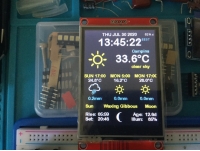
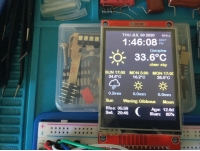
Product as description. Tested ok working as expected. Tested the touchscreen and is very accurate after fine tuning of parameters. Need to use the proper library which is easy to find on github. Good product. Recommend.
Tips:For questions about your order, place of delivery, product discount, taxation, delivery time, warranty, shipping, payment, exchange rate, and other questions unrelated to the product, please contact customer service.
showing 1-30 of 35|
Show Original
A part of the QA has been auto-translated.
0
Q:
How should I use this display and the available drivers? I've been trying to use it with the Adafruit_ILI9341 library and I only get a white screen.
Hi, Yes it is RoHS compliant according to the manufacturers datasheet
Answered by xcomseller on 14/09/2021Helpful (0)
0
Q:
how can I use the touch with a EP32 - is there somewhere an example do use the TFT and the touch with Arduino IDE. In the download file from Banggood I see only a st Board.
Trythis library: ***** and choose PDQ_ILI9341 Load the sample code and there is also a wiring diagram for the mega.
Answered by BG111045417 on 06/02/2021Helpful (0)
0
Q:
Tested literally everything you can find on google about this screen. ALWAYS WHITESCREEN Adafruit_ILI9341.h graphicstest Serial output is: ILI9341 Test!
Display Power Mode: 0x0
MADCTL Mode: 0x0
Pixel Format: 0x0
Image Format: 0x0
Self Diagnostic: 0x0 The screen is just not being recognized. Is this an error with my libraries or is this fking thing just broken? Spent 4h of my life and reached nothing - close to try solving the problem with a hammer.
Tested literally everything you can find on google about this screen. ALWAYS WHITESCREEN Adafruit_ILI9341.h graphicstest Serial output is: ILI9341 Test!
Display Power Mode: 0x0
MADCTL Mode: 0x0
Pixel Format: 0x0
Image Format: 0x0
Self Diagnostic: 0x0 The screen is just not being recognized. Is this an error with my libraries or is this fking thing just broken? Spent 4h of my life and reached nothing - close to try solving the problem with a hammer.
should ne usable with a raspberry pi, it's an spi connection. Look at adafruit ILI9341 library, for thé touchscreen not sûre of which library you can use, but look after xpt2046 + raspberrypi on google, i'm quite sure that a library exists already :)
Ipersonally don't know, but it seems so. Search YouTube for "nterface TFT display with STM32 in parallel mode || CubeIDE || CubeMX || HAL" (I am not allowed to link directly, sorry)
Answered by mylists on 12/12/2020Helpful (0)
0
Q:
Good afternoon, do you have a notbuk lg400 screen?
Hi, I have this TFT SPI Touch Display ILI9341, program Arduino 1.6.5., and developement board STM32F103C8T6. And I need initialize the display.I have program, but all Power Mode, MADCTL Mode is 0xFF !!! on output.WHERE I HAVE PROBLEM ?????my code is :#include <Adafruit_GFX.h> // this line I have added#include "SPI.h"#include "Adafruit_GFX_AS.h"#include "Adafruit_ILI9341_STM.h"// For the Adafruit shield, these are the default.#define TFT_DC PA0 // (Green) #define TFT_CS PA1 // (Orange) #define TFT_RST PA2 // (Yellow)// STM32 - TFT// 5v - VCC// GND - GND// PA0 - DC// PA1 - CS// PA2 - RST// PA5 - SCK// PA6 - MISO// PA7 - MOSI// 5v - LED AAdafruit_ILI9341_STM tft = Adafruit_ILI9341_STM(TFT_CS, TFT_DC, TFT_RST); // Use hardware SPI void setup() { Serial.begin(115200); Serial.println("ILI9341 Test!"); tft.begin(); // read diagnostics (optional but can help debug problems) uint8_t x = tft.readcommand8(ILI9341_RDMODE); Serial.print("Display Power Mode: 0x"); Serial.println(x, HEX); x = tft.readcommand8(ILI9341_RDMADCTL); Serial.print("MADCTL Mode: 0x"); Serial.println(x, HEX); x = tft.readcommand8(ILI9341_RDPIXFMT); Serial.print("Pixel Format: 0x"); Serial.println(x, HEX); x = tft.readcommand8(ILI9341_RDIMGFMT); Serial.print("Image Format: 0x"); Serial.println(x, HEX); x = tft.readcommand8(ILI9341_RDSELFDIAG); Serial.print("Self Diagnostic: 0x"); Serial.println(x, HEX); Serial.println(F("Benchmark Time (microseconds)")); Serial.print(F("Screen fill ")); Serial.println(testFillScreen()); delay(500); Serial.print(F("Text ")); Serial.println(testText()); delay(3000); Serial.print(F("Lines ")); Serial.println(testLines(ILI9341_CYAN)); delay(500); Serial.print(F("Horiz/Vert Lines ")); Serial.println(testFastLines(ILI9341_RED, ILI9341_BLUE));