Roymall Newsletter Subscription Form
Take 20% off your order now - Get early access to deals and sales
Home>mall>Electronics
0Gefällt mir

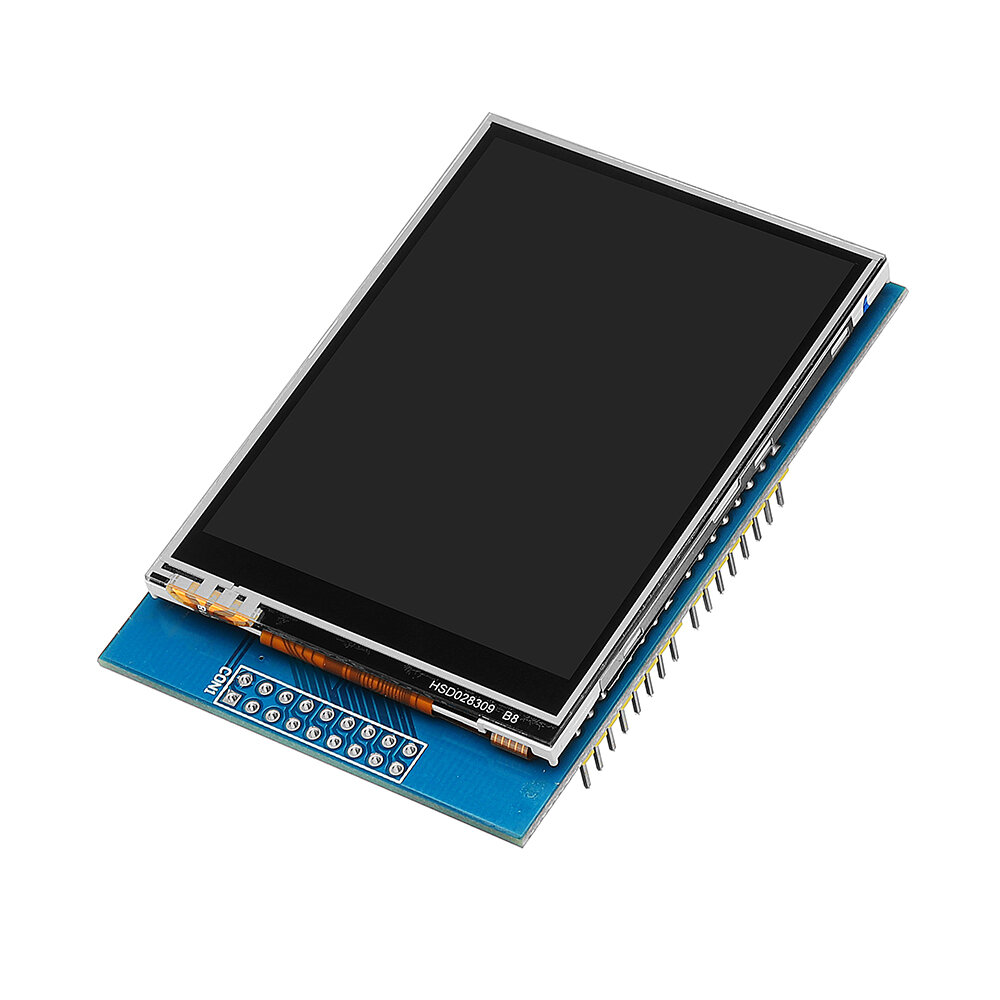
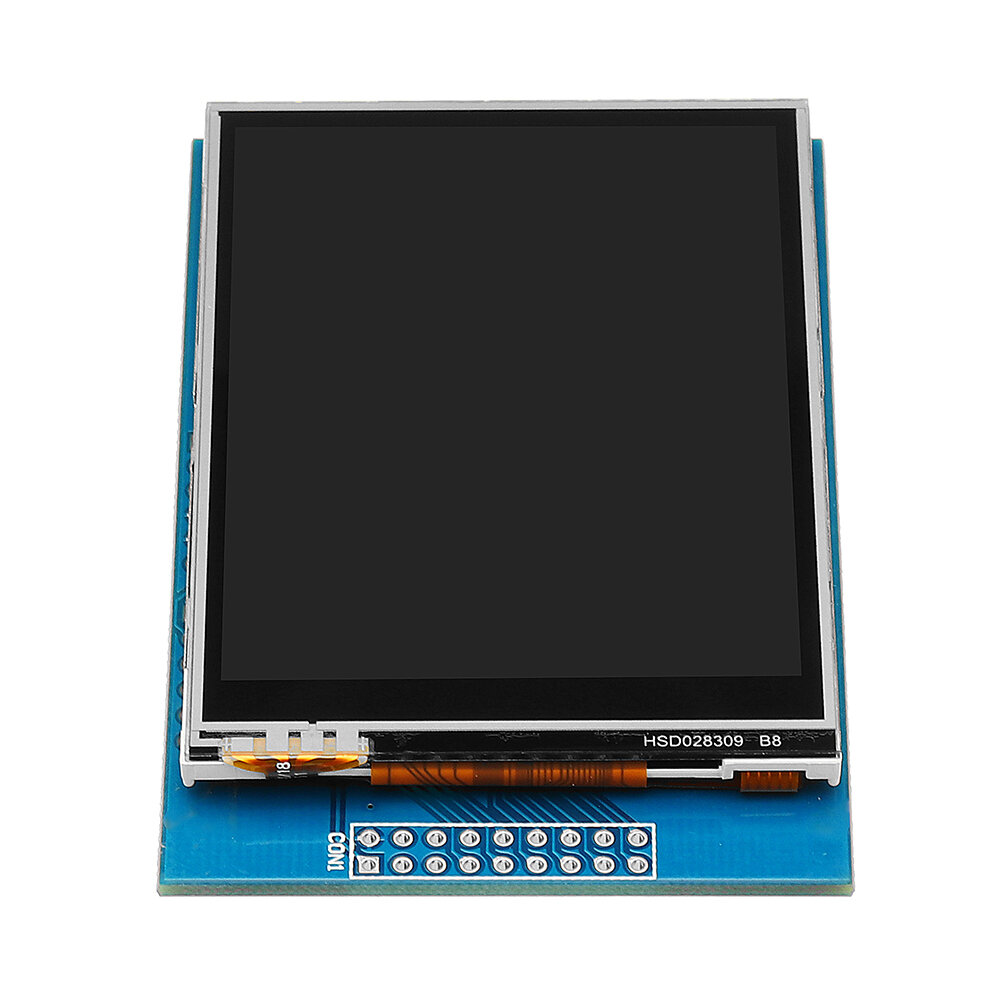
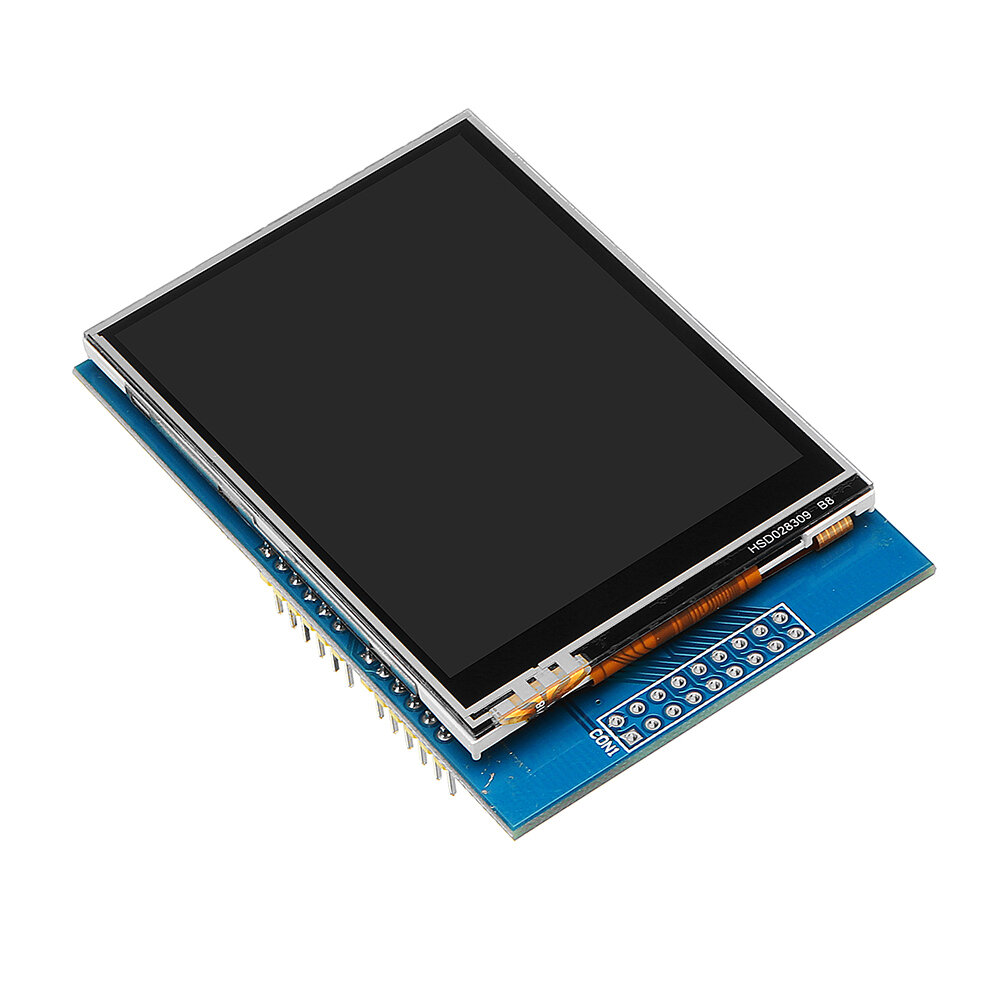
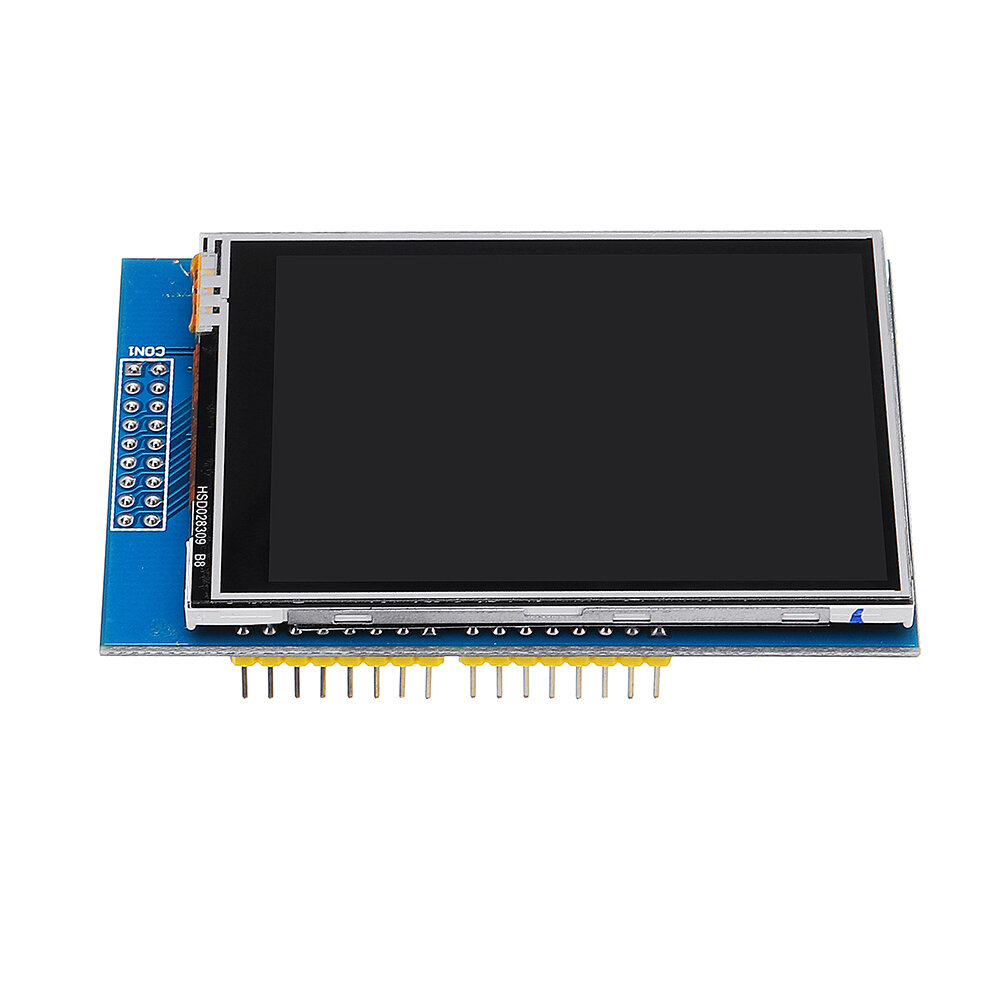
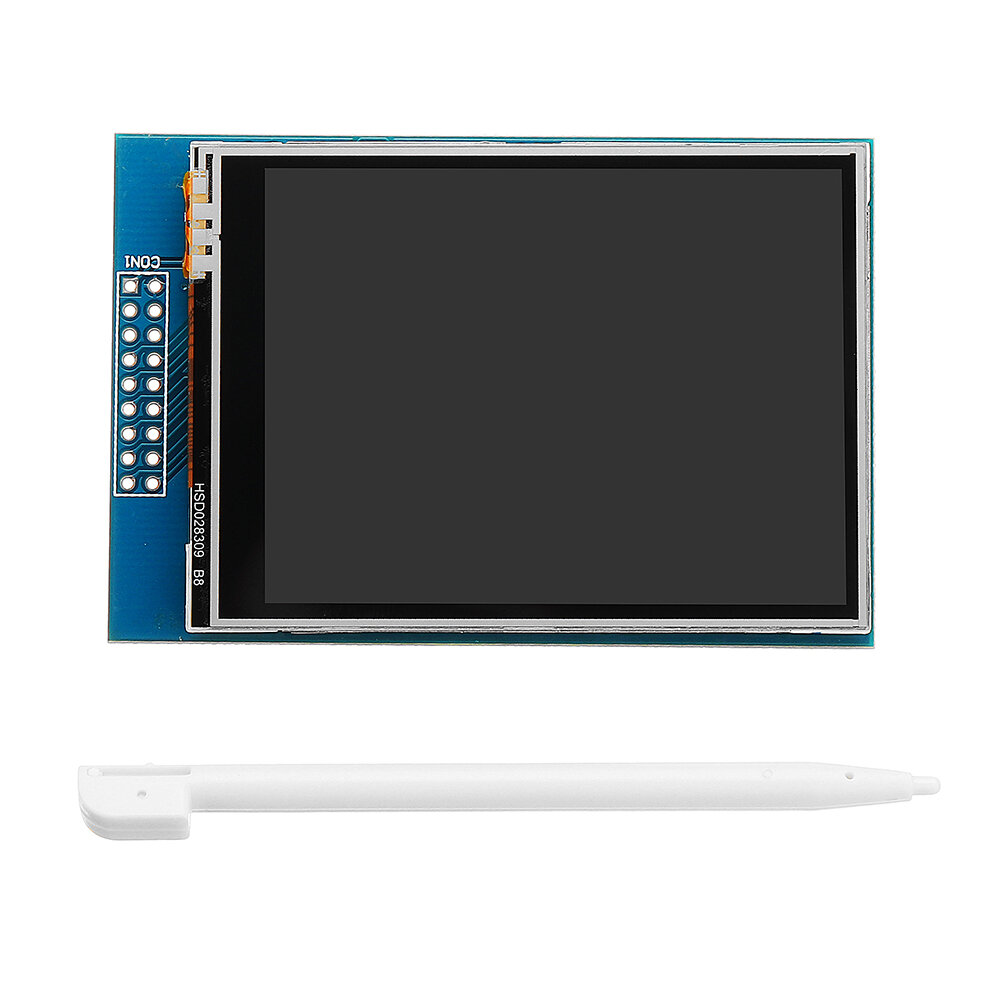
2,8 Zoll TFT-LCD-Shield-Touchscreen-Modul Geekcreit für Arduino – Produkte, die mit offiziellen Arduino-Boards funktionieren

3.91559
$9.99 /$12.19
  • *Name:

  • *Email:

  • *Phone:

  • *Quantity:

  • *Content:

  • Attachment:

    Supports JPG, JPEG, PNG, PDF, EXCEL, WORD, RAR, ZIP, 7z formats

$4.99 /$12.19
Shipping to: United States | Express delivery: 7-12 business days | Standard delivery: 15-25 business days

Sicherer Checkout garantiert

Kostenloses Geschenk
Kostenloses Geschenk bei jedem Kauf


Versandrichtlinie
Kostenloser Standardversand bei Bestellungen über $9.9
Rückgaberecht
Rückgaben werden innerhalb von 40 Tagen nach Erhalt der Ware akzeptiert. Personalisierte Artikel können nicht zurückgegeben oder umgetauscht werden. Artikel, die mit einer E-Geschenkkarte gekauft wurden, können nur umgetauscht werden; Rückerstattungen sind nicht möglich.

Kostenloses Geschenk

Willkommen bei Roymall, deiner professionellen Website für den Kauf von Premium-Warenhausgeschenken. Wir schätzen und schätzen deine Unterstützung sehr und möchten unsere Dankbarkeit zeigen, indem wir deinen Einkäufen eine zusätzliche Portion Aufregung verleihen. Wenn du bei uns einkaufst, genießt du nicht nur hochwertige Produkte, die deinen Lebensstil verbessern, sondern erhältst auch ein exklusives kostenloses Geschenk zu jeder Bestellung. Bereit, unsere Kollektion zu erkunden und deine perfekten Geschenke zu finden? Durchstöbere unsere Auswahl an Premium-Warenhausartikeln, gib deine Bestellung auf und freue dich auf das kostenlose Geschenk, das zusammen mit deinem Einkauf ankommt.

Versandrichtlinie

Wir werden uns bemühen, die Artikel nach Erhalt deiner Bestellung sicher zu dir zu liefern. Die Lieferdetails werden in deiner Bestätigungs-E-Mail angegeben.In den meisten Fällen werden Bestellungen innerhalb von 2 Tagen bearbeitet. Unter besonderen Umständen kann es zu Verzögerungen kommen: Wenn du deine Bestellung am Samstag, Sonntag oder an Feiertagen aufgibst, wird sie um 2 Tage verzögert.Normalerweise dauert es 5-7 Werktage (Montag bis Freitag), ohne dass Flugverzögerungen oder andere Umweltfaktoren dies beeinflussen.Da unser Versandservice weltweit ist, hängen die Lieferzeiten von deinem Standort ab. In abgelegenen Gebieten oder Ländern kann es einige Tage dauern, also bitte habe Geduld.

1. Rückgabe- und Umtauschrichtlinie

Wir akzeptieren nur Artikel, die auf roymall.com gekauft wurden. Wenn du bei unseren lokalen Händlern oder anderen Einzelhändlern kaufst, kannst du sie nicht bei uns zurückgeben. Artikel im Schlussverkauf oder kostenlose Geschenke können nicht zurückgegeben werden.Um für eine Rückgabe berechtigt zu sein, muss dein Artikel unbenutzt und in dem Zustand sein, in dem du ihn erhalten hast. Er muss sich auch in der Originalverpackung befinden.Nachdem du die Rückgabeanweisungen von uns erhalten hast, verpacke bitte deine zurückgegebenen Artikel und gib dein Paket bei der örtlichen Post oder einem anderen Kurierdienst ab.
Wir bearbeiten deine Rückgabe oder den Umtausch des Artikels innerhalb von 3-5 Werktagen nach Erhalt. Die Rückerstattung wird automatisch auf deine ursprüngliche Zahlungsmethode gutgeschrieben.Keine Rückgaben oder Umtausche sind möglich, wenn das Produkt individuell angefertigt wurde, einschließlich individueller Größe, Farbe oder Druck.Benötigst du weitere Hilfe? Kontaktiere uns. service@roymall.com oder Whatsapp: +447549870296

2. Rückerstattungsrichtlinie

Du erhältst eine vollständige Rückerstattung oder 100% Gutschrift, nachdem wir das zurückgesendete Paket erhalten und überprüft haben. Die Rückerstattung wird automatisch auf deine ursprüngliche Zahlungsmethode gutgeschrieben. Bitte beachte, dass Versandkosten sowie Zölle oder Gebühren nicht erstattungsfähig sind. Die zusätzlichen Versandkosten sind nicht erstattungsfähig, sobald das Paket versandt wurde. Du bist für die Zahlung dieser Gebühren verantwortlich, und wir können sie nicht erlassen oder erstatten, auch wenn die Bestellung an uns zurückgesendet wird.Sobald wir deinen zurückgegebenen Artikel erhalten und bestätigt haben, senden wir dir eine E-Mail, um dich zu benachrichtigen, dass wir deinen zurückgegebenen Artikel erhalten haben. Wir werden dich auch über die Genehmigung oder Ablehnung deiner Rückerstattung informieren.Wenn du Probleme mit dem Rückerstattungsprozess hast, kontaktiere uns. service@roymall.com oder Whatsapp: +447549870296
Feature:

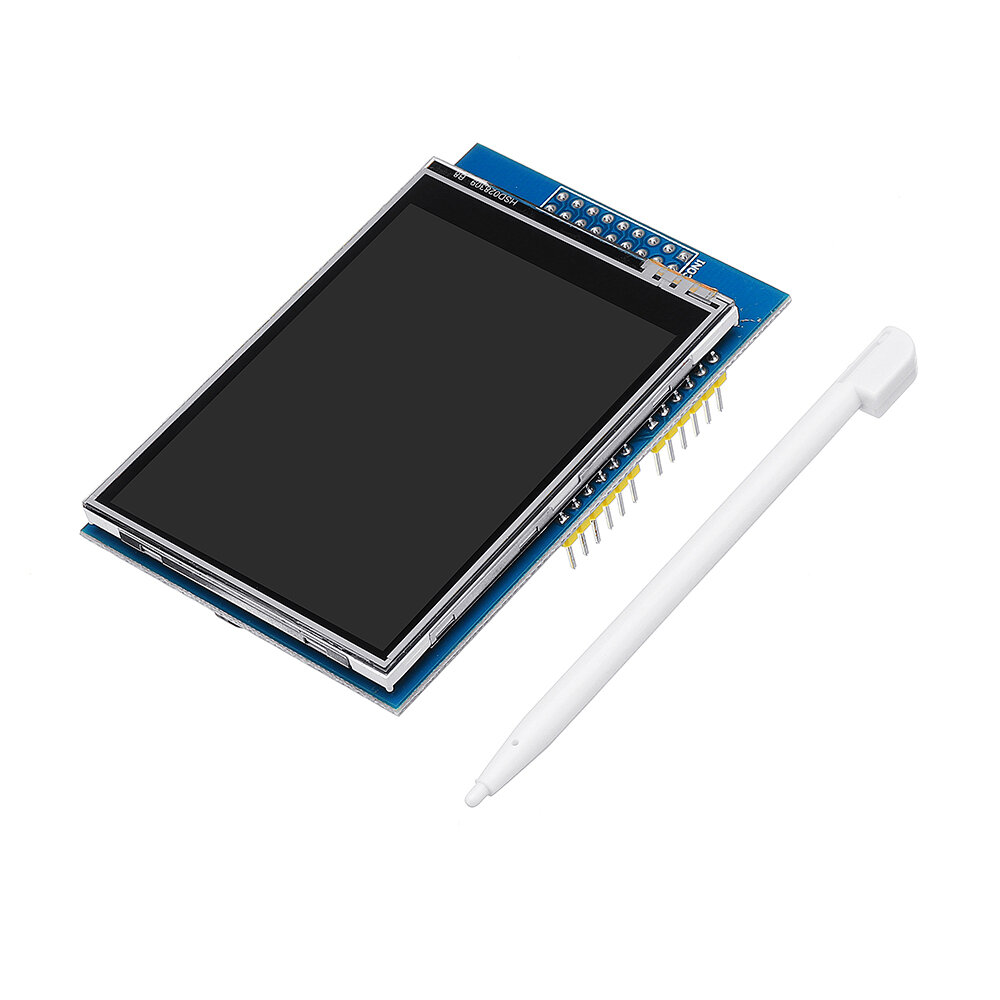
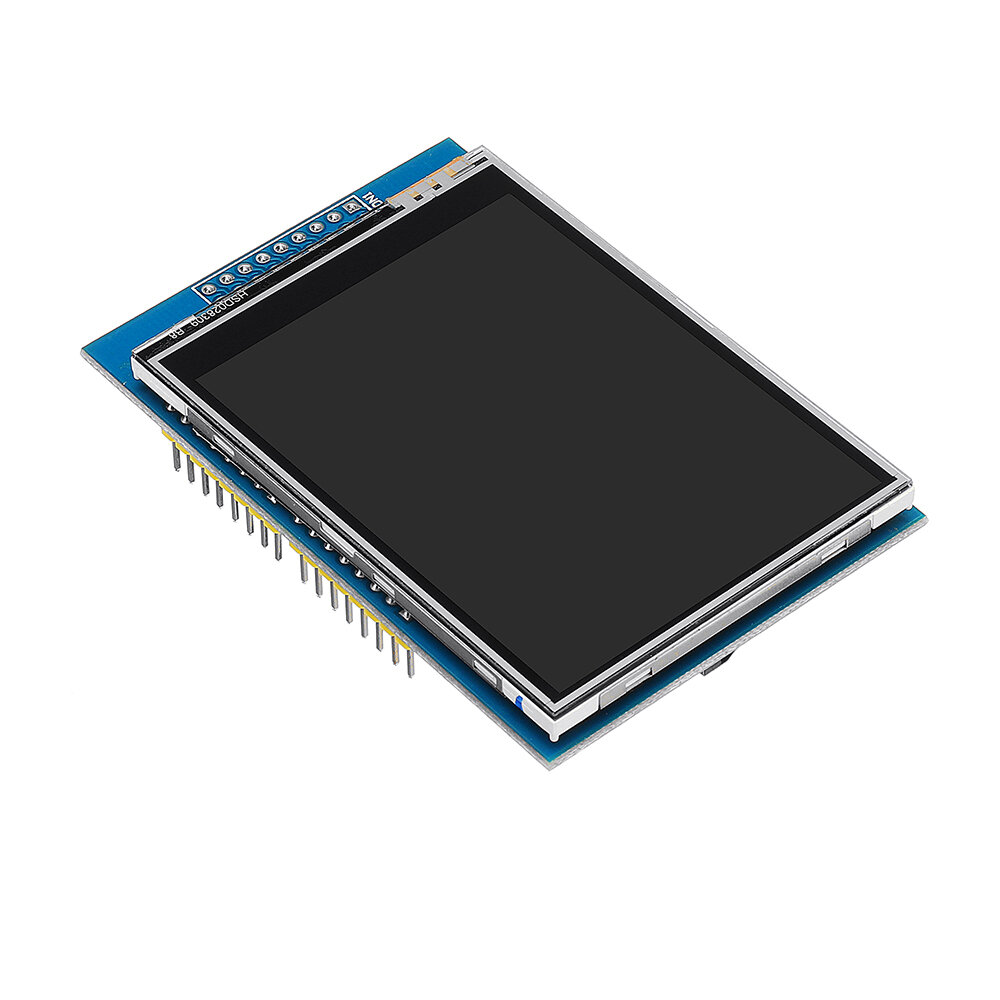
2.8 inch LCD TFT display
Bright, 4 white-LED backlight
Colorful, 18-bit 262,000 different shades
4-wire resistive touchscreen 240 x 320 pixels with individual pixel control
No wiring, no soldering.
Simply plug it in and load library
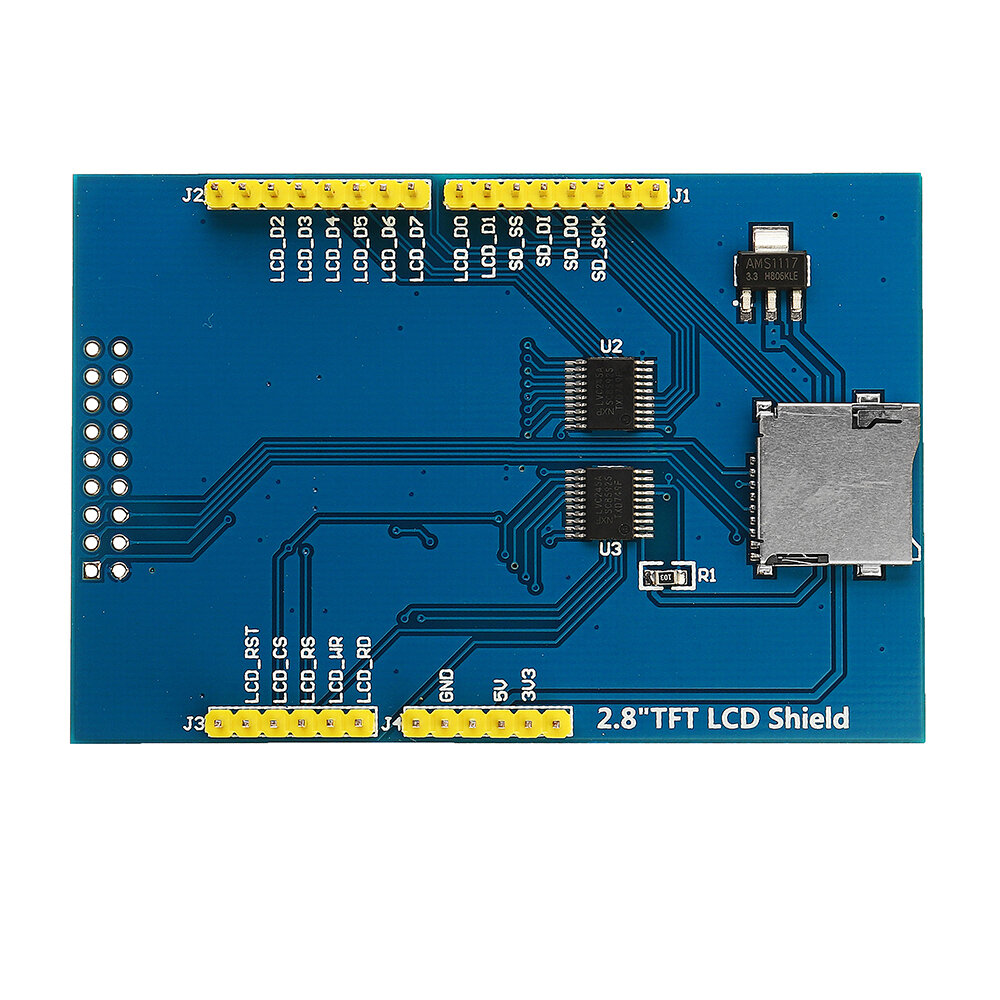
On-board 3.3V 300mA LDO regulator
5V compatible, use with 3.3V or 5V logic
Support 2GB micro SD TF card
Size: 7.8 x 5.3cm

CD file download: Click to open
The latest versin: Click to open

Package included:

1 x 2.8 Inch TFT LCD Shield Touch Display Module


Electronics Ranking
2,8 Zoll TFT-LCD-Shield-Touchscreen-Modul Geekcreit für Arduino – Produkte, die mit offiziellen Arduino-Boards funktionieren
n
n2,8 Zoll TFT-LCD-Shield-Touchscreen-Modul Geekcreit für Arduino – Produkte, die mit offiziellen Arduino-Boards funktionieren
n
n2,8 Zoll TFT-LCD-Shield-Touchscreen-Modul Geekcreit für Arduino – Produkte, die mit offiziellen Arduino-Boards funktionieren
n
n2,8 Zoll TFT-LCD-Shield-Touchscreen-Modul Geekcreit für Arduino – Produkte, die mit offiziellen Arduino-Boards funktionieren
n
n2,8 Zoll TFT-LCD-Shield-Touchscreen-Modul Geekcreit für Arduino – Produkte, die mit offiziellen Arduino-Boards funktionieren
n
n2,8 Zoll TFT-LCD-Shield-Touchscreen-Modul Geekcreit für Arduino – Produkte, die mit offiziellen Arduino-Boards funktionieren
n
n2,8 Zoll TFT-LCD-Shield-Touchscreen-Modul Geekcreit für Arduino – Produkte, die mit offiziellen Arduino-Boards funktionieren
n
n2,8 Zoll TFT-LCD-Shield-Touchscreen-Modul Geekcreit für Arduino – Produkte, die mit offiziellen Arduino-Boards funktionieren
n
n2,8 Zoll TFT-LCD-Shield-Touchscreen-Modul Geekcreit für Arduino – Produkte, die mit offiziellen Arduino-Boards funktionieren

Customer Reviews

4.90 out of 5
See all 494 reviews
Write a Review
  • All Reviews (494)
  • Image ( 2 )
  • Video (0)
  • All Star
    • All Star(494)
    • 5 Star (2)
    • 4 Star (0)
    • 3 Star (0)
    • 2 Star (0)
    • 1 Star (0)
Sort by:
Top Review
  • Top Review
  • Most Helpful
  • Most Recent
Reviews only from your country (United States)
|
Show Original

A part of the review has been auto-translated.

  • 31/05/2017

    This is an excellent TFT screen with a 2.8" size, and sporting a resolution of 320x240 pixels, and a resistive touch screen. I have tested this on an Arduino Uno(R3), and an Arduino Mega(2560 R3) and works perfectly on both.

    One thing that I found was that this uses the 0x9341 driver. Use the ADAfruit_GFX and Adafruit_TFTLCD libraries for the screen, and the TouchScreen library for the touch screen. Follow this link (http://educ8s.tv/arduino-tic-tac-toe/) (special thanks to NICK KOUMARIS) and just change this in 'void initDisplay()':

    tft.begin(0x9341);
    tft.setRotation(3);

    (You're Welcome!)

    On the UNO, you will likely be unable to add any other devices because the screen uses almost all of the IO pins. I would highly recommend this screen to anyone!

    Comments (1)
    Show Original
  • 24/02/2018

    Item came sealed in an anti-static bag, wrapped in bubble wrap and placed in a cardboard box. Full marks for the packaging.
    The screen is really nice & bright, simple to connect to a Genuino Uno.
    This is very good quality and great value for money
    Just download the libraries from Adafruit and away you go.
    I will likely buy more of these screens.

    NOTE: If you just get a white screen then put a small delay such as delay(10); after the tft.reset();

    Comments (1)
    Show Original
Show:
    12...30

    Total 0 pages

    Go to page

    Go
    Customer Q&As
    Can't find your answer? Ask a new questionorCustomer Service

    Tips:For questions about your order, place of delivery, product discount, taxation, delivery time, warranty, shipping, payment, exchange rate, and other questions unrelated to the product, please contact customer service.

    showing 1-30 of 31 |
    Show Original

    A part of the QA has been auto-translated.

    • 0
      Q: How do I get touch to work? And is the driver 0x9341 or a different one? Online search I didn't find any help.
      A:
      I bought one of these recently. It IS a touchscreen (as advertised) and uses the ILI9341 chip. You need the libraries: Adafruit_TFTLCD.h Adafruit_GFX.h TouchScreen.h but make sure you use an older version of the Adafruit GFX.h (I used V1.5.3 as later versions broke compatibility). I also included the ILI9341 library in my sketch (downloaded using the Arduino IDE), but unsure if that was needed. Hope this helps.
      Answered by kevingpearce on 24/03/2021Helpful (0)
    • 0
      Q: Hi how could I turn off the screen with the Arduino, and without turning off the Arduino?
      A:
      If using the Adafruit TFT, or the MCUFRIEND_kbv library, you would just do a tft.fillScreen(BLACK); You would obviously need the hexadecimal value for the colours, but that’s the best way to do it. If you want to actually turn it off, maybe you could do a tft.reset(); then don’t do a tft.begin(identitifier); till you want to turn it on. Try it, it doesn’t hurt to try. Just experiment and see what you get. Hope this helps.
      Answered by BG654171751 on 02/04/2021Helpful (0)
    • 0
      Q: Can it be used for 3D printer?
      A:
      have no idea how u thinking or mean
      Answered by Gabsenanic on 06/01/2024Helpful (0)
    • 0
      Q: is there any kind of software to configure this screen or just can with the arduino IDE?
      A:
      arduino or any other
      Answered by Gabsenanic on 06/01/2024Helpful (0)
    • 0
      Q: Can I use it with a raspberry Pi without tactile?
      A:
      somehow can
      Answered by Gabsenanic on 28/02/2024Helpful (0)
    • 0
      Q: how to wire this to Arduino nano? and how many es will still be available?
      A:
      With a nano, you would have the same wiring as an uno, just that it wouldn’t be a shield anymore. You would need many many wires lol. You would have to place it on a breadboard and wire it accordingly. As of free pins, you would have the SCL and SDA pins, digital 0 and 1, and analog 5. With the Uno, I use it as a shield, but I used a wire cutter to take off A5, digital 0 and 1, VIN and RESET. Sorry for too much information, I hope this helps.
      Answered by BG654171751 on 02/04/2021Helpful (0)
    • 0
      Q: I am thinking about getting this screen for a wifi thermostat project. With this installed, how can I access the necessary pins for the ESP8266 and the DHT22? Thanks and Happy New Year!
      A:
      It's a nice screen and it fits exactly on the Arduino UNO however when it is connected to your Arduino UNO you don't have any pins free to use for other things,there is a way you can use other sensors together with this display but it is risky and complicated, you could for example share pins by multiplexing but I do not recommend it. Another way you can use this screen is to dedicate your Arduino UNO to the screen and connect another Arduino via USB to communicate with a second Arduino... Then you let one Arduino do all the screen stuff and you let the other one do all the input and output. It's the only way to make this screen somewhat useful, it's better to just get a character LCD with the I2C 4 wire communication or a similar OLED display with I2C communication, SPI communication also works but you need more pins for that.
      Answered by pendersricardo on 26/01/2020Helpful (0)
    • 0
      Q: does this include only the lcd shield or lcd screen also ??
      A:
      Yeah
      Answered by BG571144246 on 09/10/2022Helpful (0)
    • 0
      Q: How does SPI work with the board?
      A:
      well
      Answered by Gabsenanic on 26/04/2024Helpful (0)
    • 0
      Q: Why is my touch screen not working? I can't draw and switch on the screen. Help me.
      A:
      never used it
      Answered by Gabsenanic on 10/09/2022Helpful (0)
    • 0
      Q: can be used with raspberry?
      A:
      It's all 3.3V so it should be OK and a A quick Google reveals a few tutorials on how to do this, even a couple in microPython, although I'd suggest programming it in C or C++ if your skill set is up to it.
      Answered by DrMichael on 20/04/2022Helpful (0)
    • 0
      Q: What is the driver/controller IC. On the shield I received the connector on the front is labeled P2, not CON1 as shown in your picture. I want to use this with a PIC micro so I need to know the controller.
      A:
      ILI9341 driver
      Answered by Secern on 14/12/2021Helpful (0)
    • 0
      Q: Has anyone successfully used this display with ESP32 DevKit? I have a project based on it and I'll like to know if it's possible to use this display before buying it.
      A:
      yes .I have weather station with this display.
      Answered by RonAD on 28/08/2020Helpful (0)
    • 0
      Q: Sorry! For use this panel with bus 8bit for arduino uno which library I must use ?
      A:
      youtube...............watch?v=IcIY2pWursc You need 3 libraries: Adafruit_TFTLCD.h Adafruit_GFX.h TouchScreen.h
      Answered by Deluxa82 on 10/06/2020Helpful (0)
    • 0
      Q: Not a question, but use driver: 0x9341
      A:
      Thank you.
      Answered by Gabbro on 06/11/2019Helpful (0)
    • 0
      Q: Is backlight led driven by transistor? Do you have schematic available?
      A:
      no schematic available
      Answered by UpcounNibble on 05/06/2019Helpful (0)
    • 0
      Q: does it have ili9325 driver???
      A:
      this is not ili9325 chip.
      Answered by Kitty on 04/06/2019Helpful (0)
    • 0
      Q: Hi, do you have a pinout diagram? Or in which pin does the backlight leds are connected?
      A:
      http://files.banggood.com/2016/2.8inch_Arduino_UC8230_V1.1.zip
      Answered by Scottybman Offing on 22/04/2019Helpful (0)
    • 0
      Q: Not working on Arduino uno, help! Nothing found in google that works
      A:
      maybe you can use the description links
      Answered by Fidicinal on 16/04/2019Helpful (0)
    • 0
      Q: can i used any arduino board?
      A:
      yes , support arduino board
      Answered by Super_Sweet on 18/02/2019Helpful (0)
    • 0
      Q: I like to use this TFT display in combination with a NodeMCU. Can you help me with the wiring diagrag to do this ? Thanks
      A:
      sorry not sure for that.
      Answered by Sack on 21/02/2019Helpful (0)
    • 0
      Q: Quel pins utilise cette écran?
      A:
      what do you mean?
      Answered by Claire on 29/12/2018Helpful (0)
    • 0
      Q: could this run on an Arduino nano
      A:
      why not? google "Arduino nano 2.8 Inch TFT LCD" you will find a lot of informations.
      Answered by Brizaxb on 30/11/2018Helpful (0)
    • 0
      Q: Hi! I want to build in this screen into my machine... Can I find somewhere built-in dimensions of this screen? I mean mainboard and lcd panel dimensions separately.
      A:
      check the picture please
      Answered by Mondegreen on 07/11/2018Helpful (0)
    • 0
      Q: How can I connect this tft shield to arduino Mega to read and write in a sd card? Which library I need? Have you got some examples?
      A:
      Sorry, I don't have the library .
      Answered by Chymiferous on 19/06/2018Helpful (0)
    • 0
      Q: Is there a way to control back light either dim or on/off with software or hardware modification - I have already purchased 1 but would like more
      A:
      It doesn't support this function.
      Answered by Pleased on 23/03/2018Helpful (0)
    • 0
      Q: is this compatible with arduino mega?
      A:
      yes, it is compatible with arduino mega
      Answered by Tex2002ans on 27/02/2018Helpful (0)
    • 0
      Q: l'ecran s'affiche uniquement blanc, impossible à piloter avec arduino mega, pourquoi?
      A:
      Not install the driver?
      Answered by Drorphan on 26/02/2018Helpful (0)
    • 0
      Q: ecran blanc
      A:
      Have you installed the driver which is download from the description?
      Answered by Brunovs on 26/02/2018Helpful (0)
    • 0
      Q: Is there a pinout for the CON1 connector?
      A:
      No, they are all one by one
      Answered by lizgo on 24/11/2017Helpful (0)

    Mein Warenkorb Warenkorb (2651)
    Meine Favoriten Meine Favoriten (0)

    Roymall Service