* Estimated delivery times start from the date of shipment, excluding processing time.
* Actual delivery times may vary due to holidays, weather conditions, or customs delays.
Kostenloser Standardversand bei Bestellungen über $9.9
Rückgaberecht
Rückgaben werden innerhalb von 40 Tagen nach Erhalt der Ware akzeptiert. Personalisierte Artikel können nicht zurückgegeben oder umgetauscht werden. Artikel, die mit einer E-Geschenkkarte gekauft wurden, können nur umgetauscht werden; Rückerstattungen sind nicht möglich.
Kostenloses Geschenk
Willkommen bei Roymall, deiner professionellen Website für den Kauf von Premium-Warenhausgeschenken. Wir schätzen und schätzen deine Unterstützung sehr und möchten unsere Dankbarkeit zeigen, indem wir deinen Einkäufen eine zusätzliche Portion Aufregung verleihen. Wenn du bei uns einkaufst, genießt du nicht nur hochwertige Produkte, die deinen Lebensstil verbessern, sondern erhältst auch ein exklusives kostenloses Geschenk zu jeder Bestellung. Bereit, unsere Kollektion zu erkunden und deine perfekten Geschenke zu finden? Durchstöbere unsere Auswahl an Premium-Warenhausartikeln, gib deine Bestellung auf und freue dich auf das kostenlose Geschenk, das zusammen mit deinem Einkauf ankommt.
Versandrichtlinie
Wir werden uns bemühen, die Artikel nach Erhalt deiner Bestellung sicher zu dir zu liefern. Die Lieferdetails werden in deiner Bestätigungs-E-Mail angegeben.In den meisten Fällen werden Bestellungen innerhalb von 2 Tagen bearbeitet. Unter besonderen Umständen kann es zu Verzögerungen kommen: Wenn du deine Bestellung am Samstag, Sonntag oder an Feiertagen aufgibst, wird sie um 2 Tage verzögert.Normalerweise dauert es 5-7 Werktage (Montag bis Freitag), ohne dass Flugverzögerungen oder andere Umweltfaktoren dies beeinflussen.Da unser Versandservice weltweit ist, hängen die Lieferzeiten von deinem Standort ab. In abgelegenen Gebieten oder Ländern kann es einige Tage dauern, also bitte habe Geduld.
1. Rückgabe- und Umtauschrichtlinie
Wir akzeptieren nur Artikel, die auf roymall.com gekauft wurden. Wenn du bei unseren lokalen Händlern oder anderen Einzelhändlern kaufst, kannst du sie nicht bei uns zurückgeben.Artikel im Schlussverkauf oder kostenlose Geschenke können nicht zurückgegeben werden.Um für eine Rückgabe berechtigt zu sein, muss dein Artikel unbenutzt und in dem Zustand sein, in dem du ihn erhalten hast. Er muss sich auch in der Originalverpackung befinden.Nachdem du die Rückgabeanweisungen von uns erhalten hast, verpacke bitte deine zurückgegebenen Artikel und gib dein Paket bei der örtlichen Post oder einem anderen Kurierdienst ab. Wir bearbeiten deine Rückgabe oder den Umtausch des Artikels innerhalb von 3-5 Werktagen nach Erhalt. Die Rückerstattung wird automatisch auf deine ursprüngliche Zahlungsmethode gutgeschrieben.Keine Rückgaben oder Umtausche sind möglich, wenn das Produkt individuell angefertigt wurde, einschließlich individueller Größe, Farbe oder Druck.Benötigst du weitere Hilfe? Kontaktiere uns. service@roymall.com oder Whatsapp: +447549870296
2. Rückerstattungsrichtlinie
Du erhältst eine vollständige Rückerstattung oder 100% Gutschrift, nachdem wir das zurückgesendete Paket erhalten und überprüft haben. Die Rückerstattung wird automatisch auf deine ursprüngliche Zahlungsmethode gutgeschrieben.Bitte beachte, dass Versandkosten sowie Zölle oder Gebühren nicht erstattungsfähig sind. Die zusätzlichen Versandkosten sind nicht erstattungsfähig, sobald das Paket versandt wurde. Du bist für die Zahlung dieser Gebühren verantwortlich, und wir können sie nicht erlassen oder erstatten, auch wenn die Bestellung an uns zurückgesendet wird.Sobald wir deinen zurückgegebenen Artikel erhalten und bestätigt haben, senden wir dir eine E-Mail, um dich zu benachrichtigen, dass wir deinen zurückgegebenen Artikel erhalten haben. Wir werden dich auch über die Genehmigung oder Ablehnung deiner Rückerstattung informieren.Wenn du Probleme mit dem Rückerstattungsprozess hast, kontaktiere uns. service@roymall.com oder Whatsapp: +447549870296
Note: Raspberrry Pi is not included. Introduction:
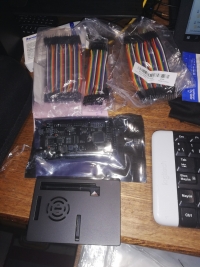
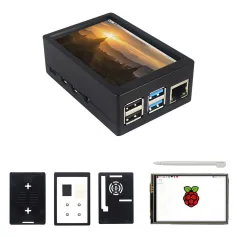
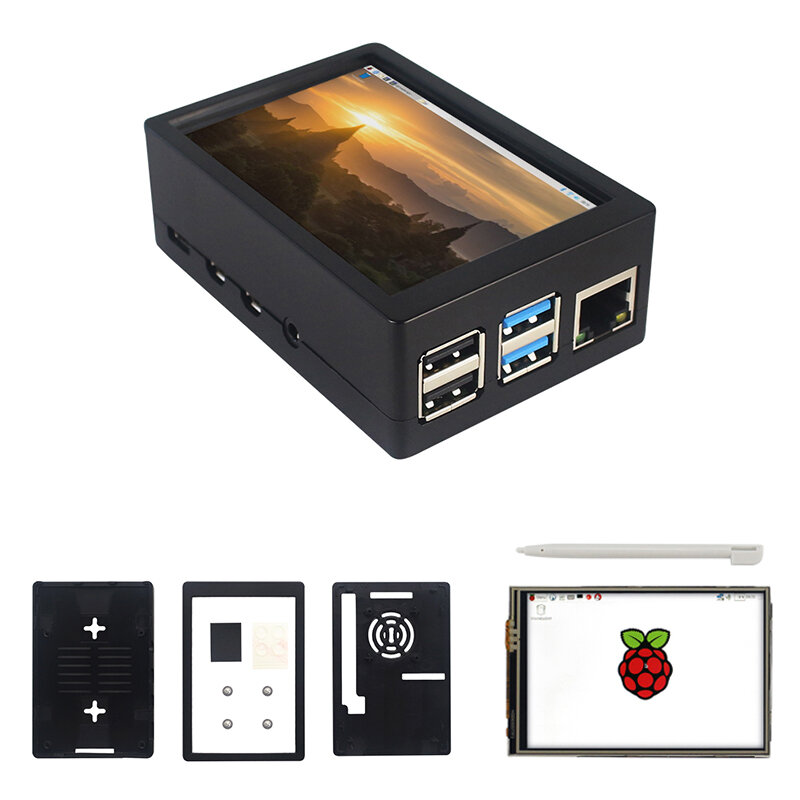
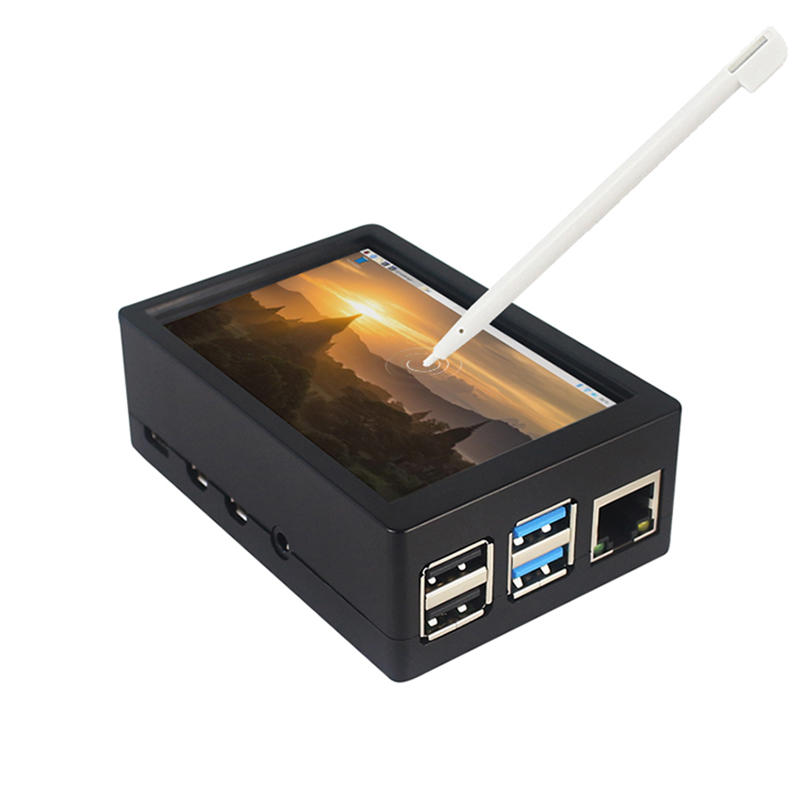
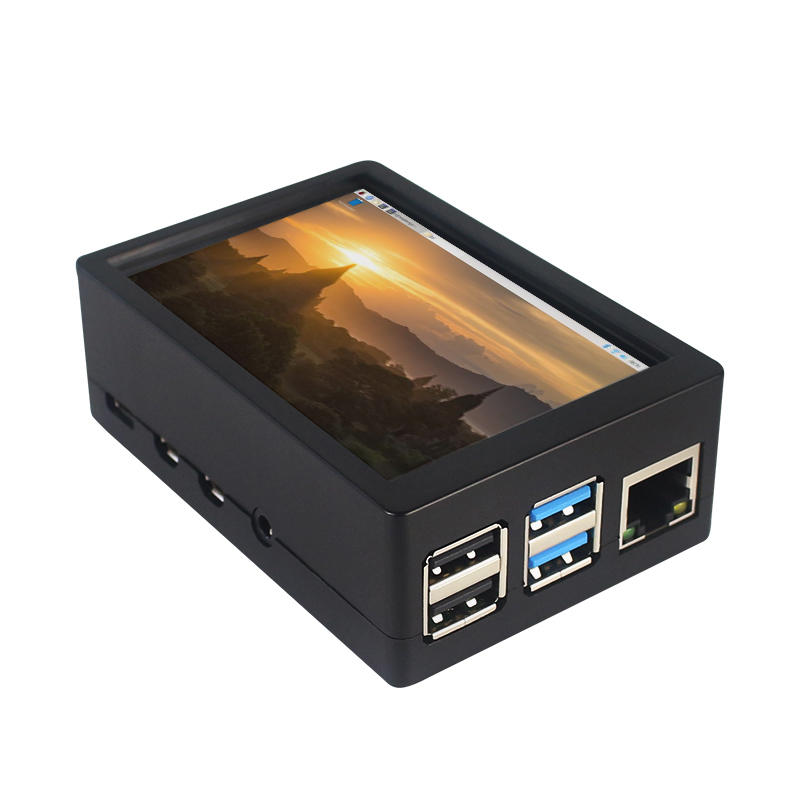
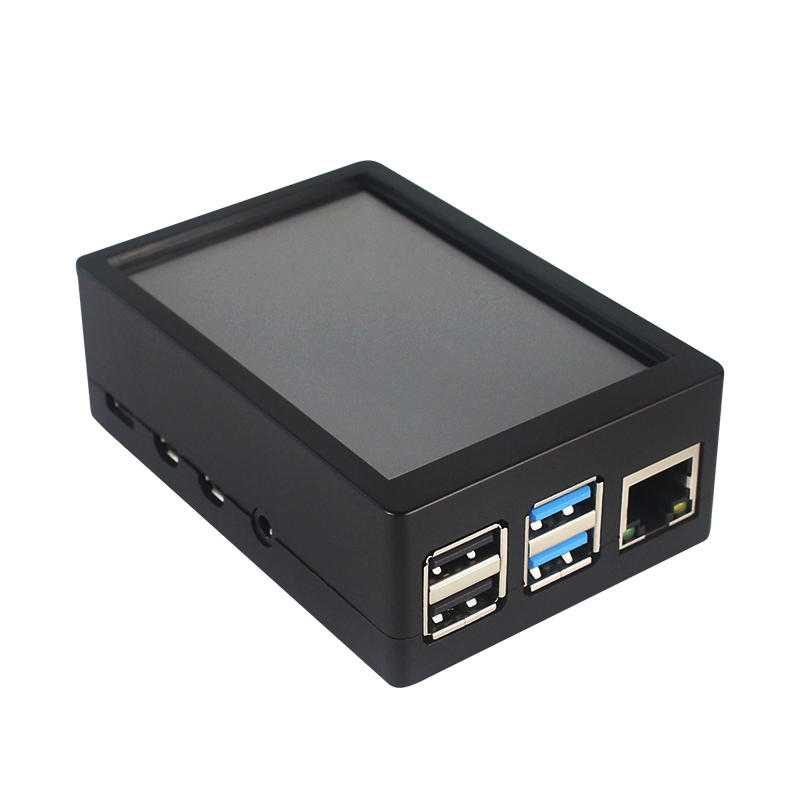
This is the dual use ABS case for 3.5 inch screen kit, suitable for Raspberry Pi 4 Model B.It is esay to install the case with screen and Raspberry Pi.When you use the Raspberry Pi with 3.5inch screen,please remove the cover of case;When you use Raspberry Pi with cooling fan,you needn"t remover the cover of case.
Note:The 3.5inch screen and cooling fan can"t be used at the same time. If Raspberry Pi is equipped with GPIO display drivers,the HDMI port will have no signal output
Specifications:
Colour: Black
Material: ABS plastic
Size: 90*61*35
Applicable to: Raspberry Pi 4B
3.5-inch touch screen or fan that can install Raspberry Pi
Knowing that: 3.5-inch display and fan cannot be installed at the same time due to the PIN pin
3.5inch Touch Screen Features:
1. Physical resolution 320 x 480, with resistive touch control
2. With the refresh rate of raspberry pi around 50Hz, play video to play the game without pressure.
3. With the refresh rate of raspberry pie around 50Hz, play video to play the game without pressure
4. Support FBCP software drive, support double screen display, can adjust the resolution of the software to zoom
5. Raspberry Pi ZeroW, A, A+, B, B+, 2B, 3B, 3B+ , 4B)
6. Support Raspbian/Ubuntu/Kali system, provide driver and image
7. WIKI for reference: raspberrypiwiki.com/index.php/3.5_inch_LCD_B
Note:
Please plug the screen on Raspberry Pi"s GPIO pins correctly( as the picture) , otherwise the touch function will be damaged.
If Raspberry Pi is equipped with GPIO display drivers such as MPI2411, MPI2418, MPI2801, MPI3201, MPI3501, etc., the HDMI port will have no signal output
If you need to switch back to the HDMI display mode, execute:
This LCD can be calibrated using a program called xinput_calibrator
Install it with the commands:
cd LCD-show/sudo dpkg -i -B xinput-calibrator_0.7.5-1_armhf.deb
Click the Men button on the task bar, choose Preference -> Calibrate Touchscreen.
Finish the touch calibration following the prompts. Maybe rebooting is required to make calibration active.
You can create a 99-calibration.conf file to save the touch parameters (not necessary if file exists).
/ect/X11/xorg.conf.d/99-calibration.conf
Save the touch parameters
About Dual Use ABS Case:
1. The Case made of ABS material,support to install 3.5 inch touch screen,and need to remove the cover of case. When you don"t use the 3.5 inch touchscreen , it is a general case with cooling fan.The 3.5inch screen and cooling fan can"t be used at the same time.
2. The case is design for Raspberry Pi 4 Model B , remain almost all interface such as USB , Ethernet , A/V , micro HDMI , SD card slot , display , camera( CSI). (Note: A1 case remain GPIO and POE hole , but A2 case does not remian)
3. Make 2 hole on the bottom so that you can hange the case on the wall or something else . This design is very convenient when using the 3.5 inch touchscreen.
Package Included: 1 x ABS box case 1 x touch screen 1 x touch screen pen
Tips:For questions about your order, place of delivery, product discount, taxation, delivery time, warranty, shipping, payment, exchange rate, and other questions unrelated to the product, please contact customer service.
showing 1-8 of 8|
Show Original
A part of the QA has been auto-translated.
0
Q:
Does this just work after assembling or do you have to use your own chip or soemthing?
Does this just work after assembling or do you have to use your own chip or soemthing?
The last command to type in is ' sudo .LCD35-show ' (with a slash between the dot and the LCD, but BG doesn't let me write it) instead of the one provided
The last command to type in is ' sudo .LCD35-show ' (with a slash between the dot and the LCD, but BG doesn't let me write it) instead of the one provided
Answered by Gwenaël on 17/06/2020Helpful (0)
0
Q:
How to install driver on Raspberry Pi 4b for this display?
How to install driver on Raspberry Pi 4b for this display?
This does not work if you follow the product description... There is a comment where somebody said a waveshare link, the display started to work me, but the quality is wrong, there is less color, you cannot see whats on the screen, and I cannot calibrate the touchscreen to work. (I have an other LCD similar to this, but that was working better.
Its far from 50fps with the waveshare driver. Do anybody knows a better driver? Or it is bad quality?
This does not work if you follow the product description... There is a comment where somebody said a waveshare link, the display started to work me, but the quality is wrong, there is less color, you cannot see whats on the screen, and I cannot calibrate the touchscreen to work. (I have an other LCD similar to this, but that was working better.
Its far from 50fps with the waveshare driver. Do anybody knows a better driver? Or it is bad quality?
Answered by hygyke on 16/09/2020Helpful (0)
Ask a Question
1.You can contact the customer service. for any question regarding the product.
2.Ask the question in English to get answer faster.





 Direct purchase from the factory

![[US DIRECT] ATOMSTACK A5 M50 APP Control Dual-Laser Laser Engraving Cutting Machine Laser Engraver Cutter 5.5W Output Power Fixed-Focus 304 Mirror Stainless Steel Engraving DIY Laser Marking for Metal Wood Leather Vinyl](https://static.roymall.com/d/file/mall/titlepic/235/67803406-41f3-499a-afb7-154990584ff8.jpg?x-oss-process=image/resize,w_237/quality,Q_80/format,webp)

![[EU/US Direct]Raiser for LONGER RAY5 Engraver](https://static.roymall.com/d/file/mall/bigpic/235/65e9b76d-574a-4b4b-9c6c-02db18b89460.jpg?x-oss-process=image/resize,w_237/quality,Q_80/format,webp)
![[US/UK Direct] Refurbished ULTIMEA Nova S70 3.1.2 Soundbar 390W True Dolby Atmos Soundbar BassMax 4K Dolby Vision HDR Passthrough 3EQ Modes Wired Speaker Subwoofer](https://static.roymall.com/d/file/mall/titlepic/235/e1440062-c78c-4565-8aa7-f8857d749771.jpg?x-oss-process=image/resize,w_237/quality,Q_80/format,webp)


 Multi Rotor Parts
 Kostenloses Geschenk
 Versandrichtlinie
 Rückgaberecht